




Implementation of colorless ports using ClearPass
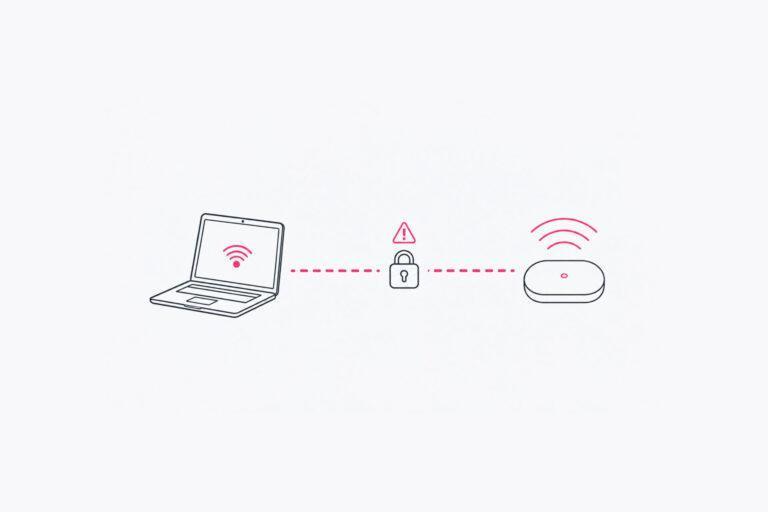
Traditionally, switch ports have been configured statically for each type of device.
Sometimes, switches are configured so that groups of ports serve a specific purpose. For example, ports 1–6 might be used for access points, followed by a few ports with a different configuration, and finally ports for regular clients. Each port is then typically assigned a VLAN for the respective client type.
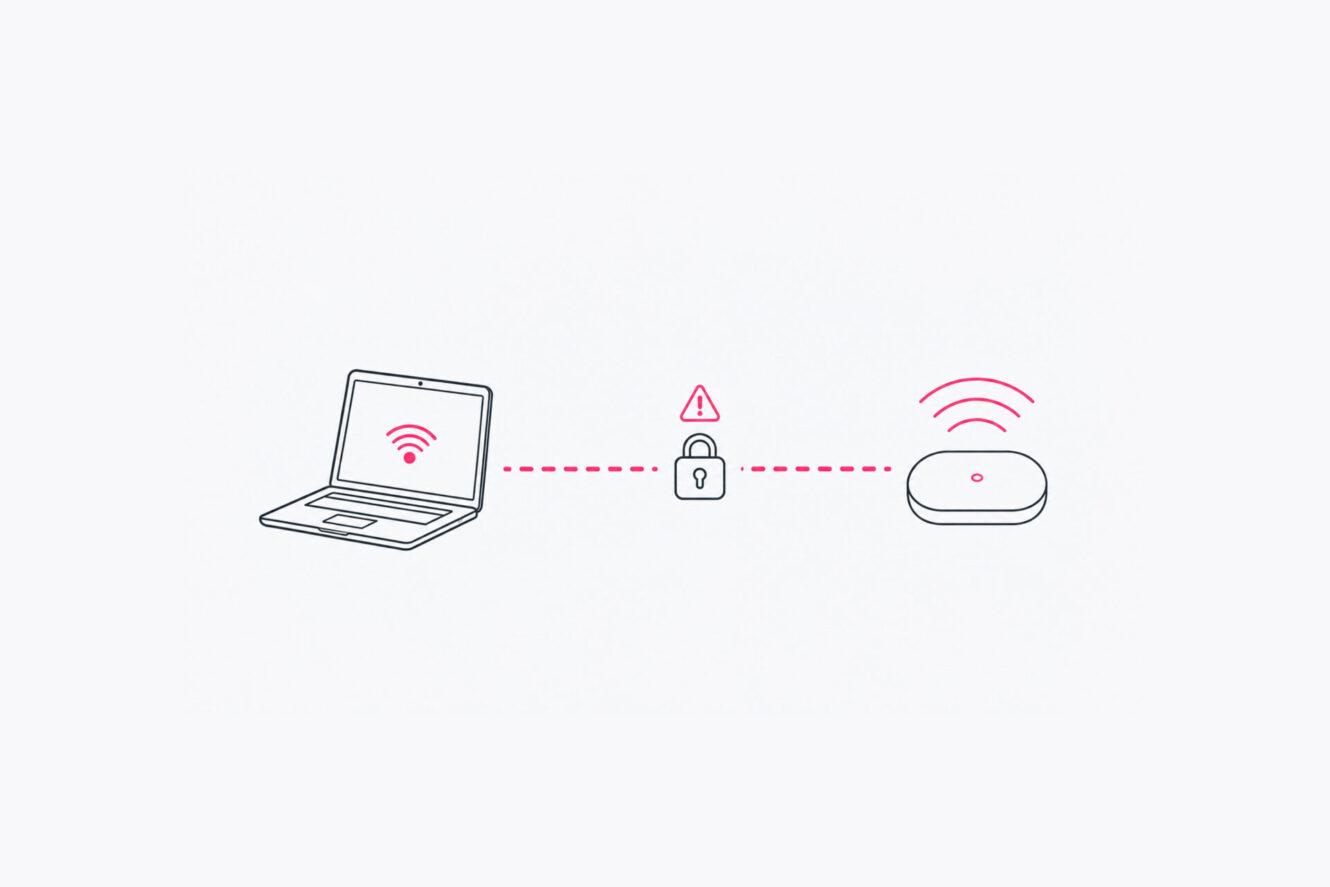
The drawback of this configuration is that it is static; if there are changes in switch port requirements or if equipment is moved within the premises, either the switch must be reconfigured or the patch panels in the cross-connect room must be re-patched. Furthermore, this type of configuration often lacks authentication, as it has frequently been perceived as a complicated concept, and there have been difficulties managing devices that do not support 802.1x but require MAC authentication.
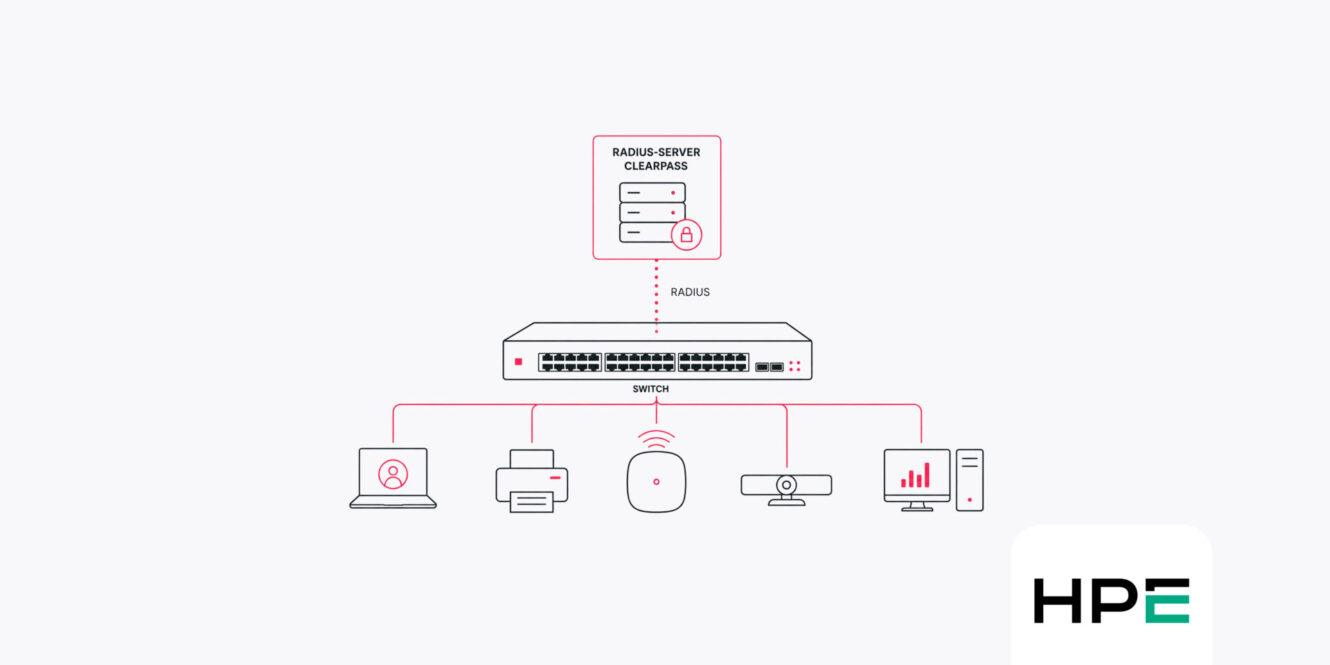
By having a more advanced RADIUS server— such as ClearPass from HPE Networking—handle authentication, more advanced features can be used to identify connected devices. This allows the process of connecting approved device types to be automated, thereby reducing the need for manual intervention.
Network Authentication
Authenticating all devices on the network creates a more secure environment where it is not possible to connect equipment that does not meet the organization’s requirements and has not been approved. For many organizations, this is also a requirement because they are subject to regulatory frameworks such as NIS2.
Authentication typically occurs in one of two ways on a wired network. The preferred method is 802.1x, as it is the more secure and preferred method for authenticating and authorizing devices. With 802.1x, authentication should be performed using certificates rather than older methods such as usernames and passwords, as these methods have weaknesses in their algorithms and therefore pose a security risk.
However, some devices do not support 802.1x, and in those cases, MAC authentication must be used. These are usually IoT devices such as printers, building management systems, alarms, video conferencing systems, etc.
MAC authentication relies on the RADIUS server authorizing known MAC addresses. With ClearPass, it’s also possible to specify device types, which means that instead of authorizing each individual MAC address, you can choose to authorize products of a specific type from a specific manufacturer. For example, printers from HP or video conferencing systems from Crestron.
A detailed article on how network authentication works can be found here: https://aranya.se/djupdykning-i-hur-autentisering-med-802-1x-fungerar/
Components and Configurations Included
Many organizations use a Windows NPS server as a RADIUS server. It works well in an environment where Windows clients authenticate against Active Directory; however, it does not work as well when it comes to managing IoT devices and MAC authentication. Consequently, implementation and administration also become difficult if that platform is used in conjunction with colorless ports.
By using ClearPass instead—which can identify the type of device connecting to the network—rules can be created based on a combination of known information about a device rather than its MAC address. It is possible to create rules that allow printers from a specific vendor but not from another, as well as video conferencing equipment from the selected vendor(s).
On the switches, authentication must be enabled for both 802.1x and MAC authentication on all ports, as well as globally in the switch configuration.
It is important that the time on the switches is correct because certain information in the authentication process includes timestamps, and the certificates used have specified validity periods.
If Downloadable User Roles are used on CX switches, these switches must also be configured to use DNS to locate the RADIUS server, which means that DNS servers must be configured on the switches.
In addition to the configuration in ClearPass and the switches, the clients must also be configured correctly. This configuration is deployed using a management tool. Active Directory uses Group Policy Objects (GPOs) for this configuration. Other platforms include Intune and Jamf.
The settings to be configured on the client are the same regardless of the platform. The following need to be configured:
- Validating the server certificate
- The name to which the RADIUS server’s certificate is issued
- The root CA that signed the RADIUS server’s certificate
- Authentication Method
- If the client’s certificate is issued by a root certificate different from that of the RADIUS server, you must also configure the system to select the correct certificate for authentication.
For Windows computers, the Wired Auto Config service must also be configured to start automatically.
Implementation Projects
The implementation should be carried out as a project with designated resources that can collaborate and are kept informed throughout the various phases.
Although the implementation of colorless ports involves adapting the way switch ports are managed, the largest part of the implementation project consists of identifying the organization’s various device types and configuring the RADIUS server to automate as much as possible. In terms of responsibility, it is not uncommon for different resources to handle the RADIUS server and switch configuration.
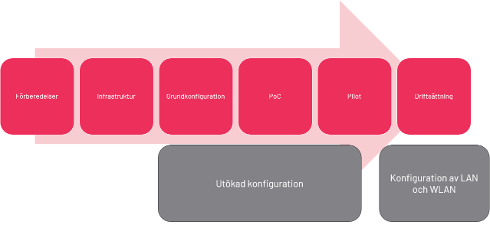
The implementation project consists of several phases:
- Preparations
In this phase, a preliminary study and a current situation analysis are conducted.
Infrastructure Installation: If a RADIUS server is not available, install ClearPass on hardware or virtual machines.
Basic Configuration: This is where the basic conditions for authenticating clients on the network are established.
- PoC
It’s a good idea to conduct many Proofs of Concept to gain an understanding of the mechanisms behind colorless ports and how everything fits together.
- Pilot
One or more pilot sites are designated, the configuration is applied to the switches, and users and devices are authenticated and placed on their respective networks.
Deployment Whether a completely new RADIUS server infrastructure has been implemented or new features have been added to existing servers, these must be deployed in accordance with the organization’s standard procedures.
Preparations
It is advisable to examine the main categories of devices used by the organization and determine how each type of device should be managed and integrated into the network.
Templates for the switch configuration are also being developed here so they can be implemented consistently on all switches later in the project.
Infrastructure
If there is no RADIUS server, such as ClearPass or a similar system, one must be set up.
A design and architecture must be developed to support the business’s requirements for capacity and availability. Hardware or virtual servers are installed on the network, firewall ports are opened, and the necessary certificates are ordered and installed. In this phase, it is also advisable to configure the system to work with other services such as Active Directory or Intune.
Basic Configuration
In this phase, you configure which types of authentication methods will be available and how they will function. In addition, the organization’s internal root certificate is installed as a trusted certificate to authenticate client certificates.
Next, simple policies are configured for both 802.1X and MAC authentication, so that some of the most common device types can authenticate.
Proof of Concept
During the PoC phase, testing is conducted in a completely separate environment that poses no risk of disrupting regular users or operations. This allows regulations for different types of equipment to be implemented and tested safely before a large-scale rollout takes place.
Pilot
The pilot is conducted at one or more sites, depending on the operation, both to verify that the configuration set up to authenticate devices works in a larger context and to ensure that the rollout procedure covers all necessary steps.
During the pilot phase, it is common for new device types—which are uncommon or unique to the site—to appear and need to be managed regularly in ClearPass.
Commissioning
During the implementation phase, the final solution is documented, and staff are trained to handle the new way of working.
Extended Configuration
In parallel with the activities involved in basic configuration, PoC and pilot, and likely also during the rollout phase, ongoing configuration will be needed as new device types are identified, as well as permission profiles in ClearPass to manage devices that, for various reasons, cannot be profiled. This may be due to technical reasons, such as devices having static IP addresses, or more organizational reasons, such as a desire to approve only specific MAC addresses for certain device types.
In a larger organization, it is often desirable to delegate the responsibility for entering these MAC addresses to individuals close to the operations. For example, local IT support staff may be authorized to add devices for their geographic area. Similarly, specialized teams can be responsible for the types of equipment within their area of responsibility, such as printers or video conferencing systems. This allows administrative tasks to be distributed while keeping responsibility close to the business units.
Division of Responsibilities
The introduction of colorless ports should take place over a limited period of time to minimize the administrative burden of a fragmented environment that operates in different ways. In addition, a coordinated rollout makes it possible to take full advantage of the automation and enhanced security that are being implemented.
To begin with, it is important to clearly define which areas each involved party is responsible for. A RACI matrix can be used to clarify responsibilities and expectations early on. This helps establish a shared understanding of the division of responsibilities right from the start of the project.
In the matrix below, the basic premise is that Aranya is responsible for methodology, implementation, and technical execution. At the same time, the customer is responsible for providing information about the existing environment and operations, as well as for making decisions and validating them.
| Activity | Aranya | Customer |
| Project Planning and Schedule | R | A |
| Provide documentation of the existing environment | C | R/A |
| Inventory and Analysis of the Existing Network Environment | R | C |
| Identify business requirements and specific needs | C | R/A |
| Identify critical systems and client types | C | R/A |
| Design of an Authentication Solution (802.1X/MAB) | R/A | C |
| Design of the Colorless Ports Concept | R/A | C |
| Development of Security Policies and Access Rules | R | A |
| Selection of Authentication Methods and Segmentation | R | A |
| Technical Implementation of the NAC Platform | R/A | In |
| Configuring Switches and Colorless Ports | R/A | In |
| Integration with Directory Services and Identity Systems | R | C |
| Development of a Test Plan | R | C |
| Conducting Technical Tests | R/A | C |
| Verification of Operational Functions | C | R/A |
| Pilot Approval | C | R/A |
| Gradual rollout in production | R/A | In |
| Managing Change Communication with the Organization | In | R/A |
| Coordination with local organizations and users | In | R/A |
| Troubleshooting and Technical Optimization During the Project | R/A | C |
| Documentation of the Solution | R | C |
| Knowledge Transfer and Training | R | A |
| Final Acceptance Test | C | R/A |
| Project Completion and Handover | R | A |
Explanation
R – Responsible: Performs the work.
A – Accountable: Has overall responsibility and makes decisions.
C – Consulted: Is consulted and provides information.
I – Informed: Receives updates on status and results.
Overall Responsibility: Aranya
Aranya is responsible for the technical implementation, including analysis, solution design, implementation, and testing. In addition, this includes any troubleshooting and documentation of the implementation.
Furthermore, Aranya ensures that the solution follows best practices and is tailored to the customer’s unique environment.
Overall responsibility for the customer
The customer is responsible for providing information about its current environment and the governing documents—such as security policies and regulatory requirements—that the organization must comply with, for example, NIS2. In addition, the customer must define which tests are to be conducted later to ensure the functionality of the business. The customer must also ensure that devices of the most common types are available to validate functionality during the PoC or pilot phases, and assist in performing tests on the business’s systems.
Liaising with the business unit to coordinate and plan each rollout phase is a very important responsibility, which also includes maintaining contact with local points of contact at each site.
Finally, the customer is responsible for approving all tests during each phase and for making decisions at the project’s decision points.
Advantages of colorless ports
The main advantage of colorless ports is that switch port configuration is standardized across the entire environment. This makes it easy to set up switches with a standardized configuration so they are immediately ready to handle all types of devices. It also reduces the need for individual port configuration.
In contrast, each port must be configured for its specific function in a traditional model where switch ports are configured statically.
Once implemented, the standardized and automated configuration simplifies changes because no manual reconfiguration is required when new equipment is acquired or when equipment is moved to another part of the facility and is therefore connected to a different switch port.
In addition to practical benefits, the concept also significantly enhances security. This is because every device that connects is authenticated, segmented, and, if necessary, assigned access rules specific to that device.
Authenticating and segmenting one’s network are important measures for ensuring that the organization complies with NIS2, in cases where that regulation is a requirement.
Ongoing Administration Following Implementation
After implementation, the ongoing administrative work required may vary depending on how the organization operates. An organization that purchases equipment centrally and always from the same suppliers will require less ongoing administration, since these devices can be identified automatically and no manual intervention is needed. In an organization where each department purchases its own equipment, the administrative burden will be greater, as policies will need to be created for new device types, or these new device types will need to be manually assigned to predefined roles.
Common Excluded Ports
Often, during the course of a project, a number of specific devices will be identified that, for various reasons, have difficulty connecting to a port that requires authentication.
A prime example is ports used for installing new computers or reinstalling operating systems, since at this stage the computer lacks the configuration and certificates needed for successful authentication.
Another example is certain extremely quiet clients—that is, devices that do not communicate over the network except when they are actually in use. These might include key cabinets or intercoms.
In these cases, it may be necessary to make exceptions to the authentication requirements after techniques such as MAC pinning have been tested.
Summary
In summary, the introduction of colorless ports will make the business less dependent on where equipment is connected, since all switch ports have the same dynamic configuration. In addition, network security is enhanced because all ports are authenticated.
Increased security rarely poses any obstacles to operations. However, challenges may arise in organizations where users and third-party vendors are accustomed to being able to freely connect devices to the network.
It is important to provide information here on how purchases should be made and what equipment is permitted. In addition, make sure to inform third-party vendors that the authentication system is in place so they can plan accordingly and avoid arriving on-site only to discover that their equipment is not approved for connection.
Colorless ports reduce manual administration while ensuring a consistent configuration across the environment and providing greater security thanks to the implemented authentication and segmentation.
About the Author
Jonas Hammarbäck – Network Architect at Aranya
Jonas Hammarbäck is a network architect at Aranya with extensive experience in networking and IT security. He has in-depth expertise in HPE Aruba Networking, network authentication, and ClearPass, and regularly shares his technical knowledge both at Aranya and in the HPE Networking Airheads community.